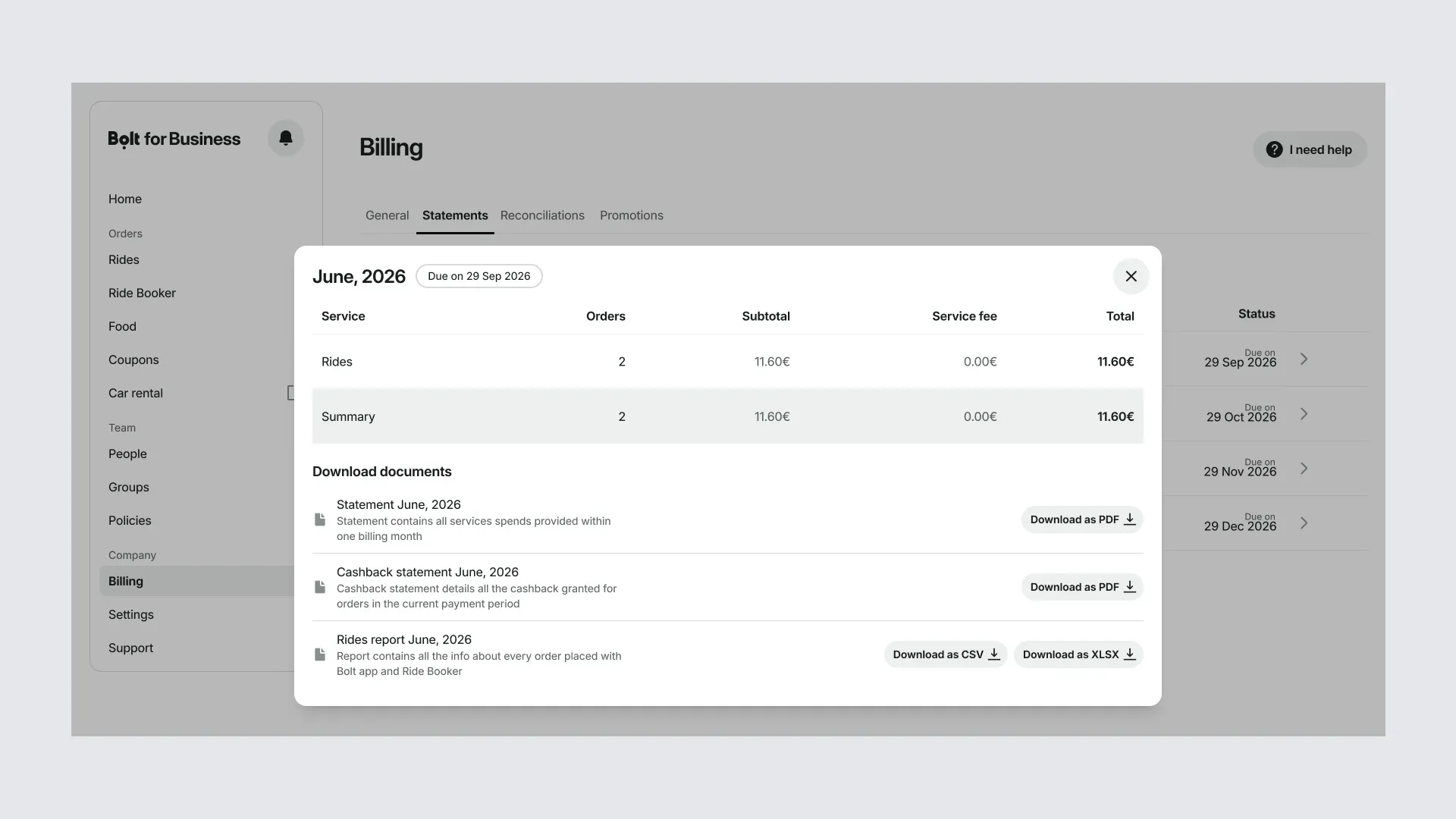
View your ride reports
Track the spending of your members.
1. Go to Rides
- Choose a report Sign in to the portal. There are three ways to download a ride report:
Rides: rides members take in the Bolt app with your company's payment method (see 1a)
Ride Booker: rides you book for others in Ride Booker (see 1b)
Billing: all rides from the Bolt app and Ride Booker for one month (see 1c)
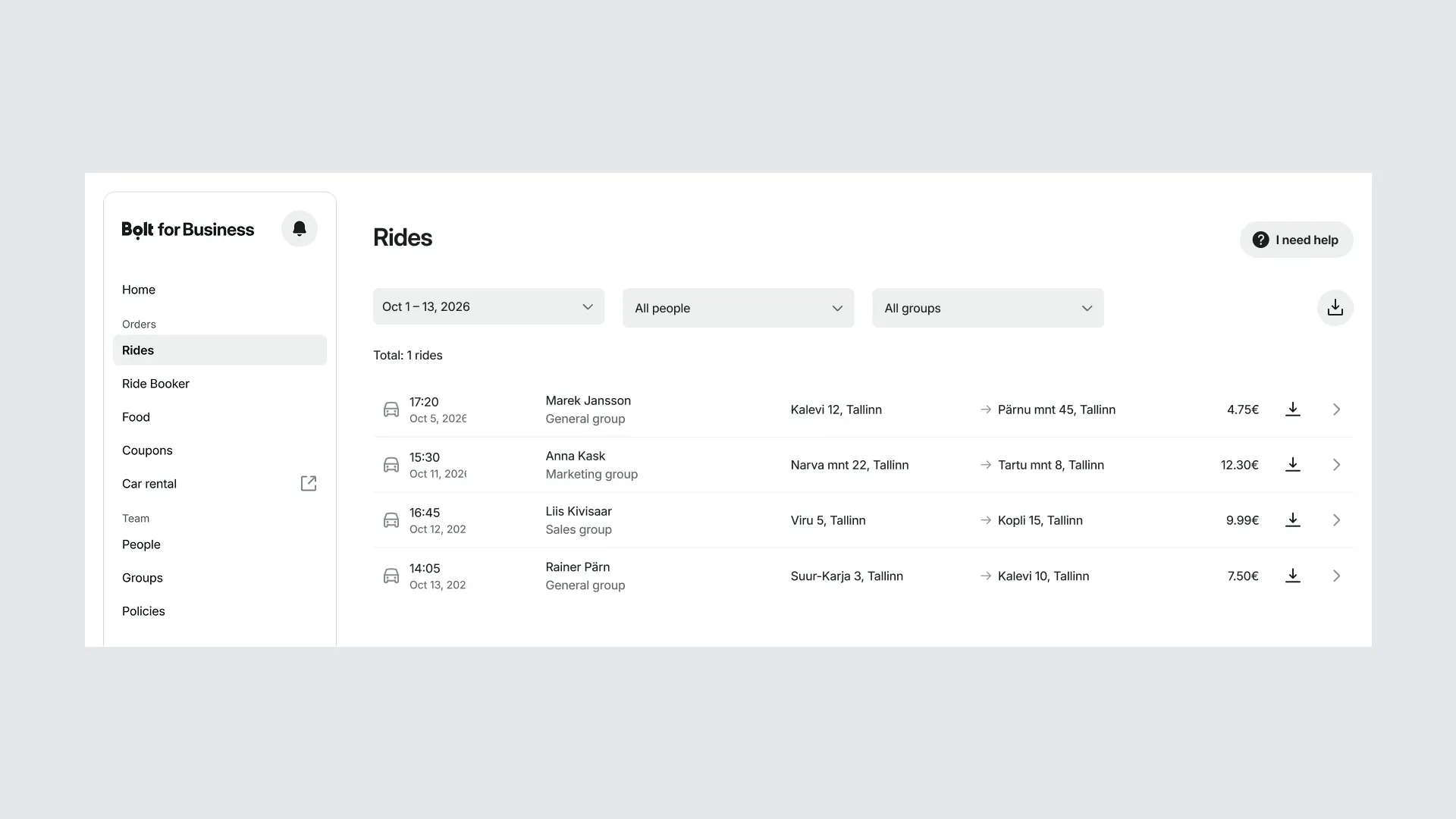
1a. Rides
Select Rides from the menu and filter rides by date, group, or member. Select the down arrow on the right to download the report as an XLSX or CSV file. Ride Booker rides aren't included.
1b. Ride Booker
Select Ride Booker from the menu. Choose a date range and select the down arrow on the right to download the report as an XLSX or CSV file.
1c. Billing
Select Billing from the menu, then Statements. Select the month you need and download the rides report. The total matches your monthly billing document.