What is Bolt Link?
Bolt Link allows you to create and manage your own mini fleet directly in the Bolt Driver app.
By activating your Bolt Link profile, you can:
- Invite trusted drivers to join your fleet
- Manage your drivers via the Fleet Portal
- Delegate trips to drivers in your fleet
- Receive all earnings in your fleet account
Bolt provides the technology — payment agreements between you and your fleet drivers are handled privately.
Roles in Bolt Link
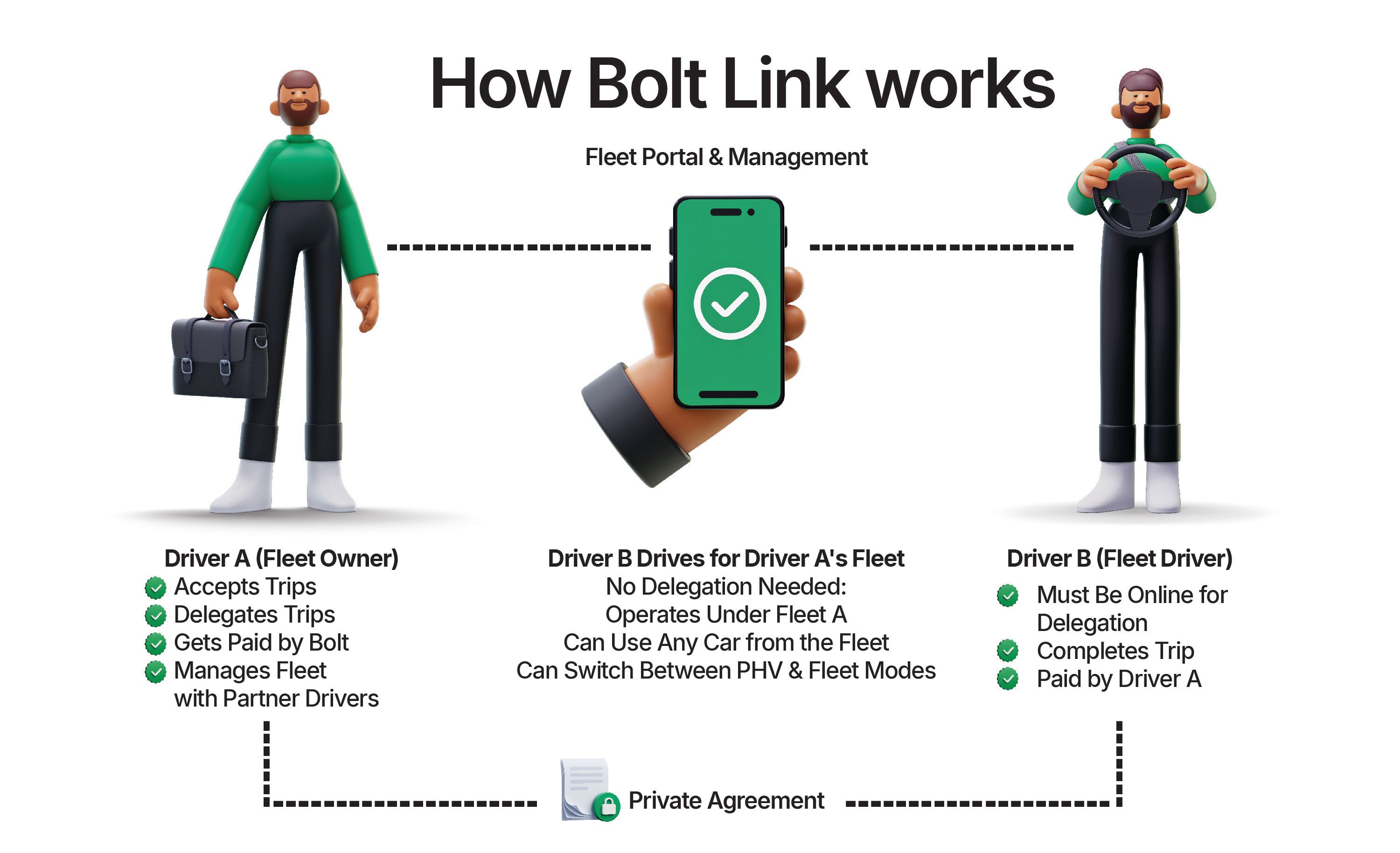
Fleet Owner (Driver A)
- Activates the Bolt Link profile
- Invites and manages drivers
- Receives all fleet earnings
- Can delegate accepted trips
Once activated as a Fleet Owner, you always operate under your Fleet profile.
Fleet Driver (Driver B)
- Joins a Fleet Owner’s fleet
- Completes trips on behalf of the Fleet Owner
- Can switch between driving privately and driving under a fleet (Private profile & fleet profile)
- Earnings from fleet trips go to the Fleet Owner’s account
Why use Bolt Link?
With Bolt Link, you can:
- Drive on your own schedule
- Let trusted drivers complete trips for you
- Earn revenue even when you are offline
- Manage drivers, trips, and earnings in one place
- Grow your driving business flexibly
Benefits of being a Fleet Driver
Joining a fleet can offer additional flexibility and opportunities.
As a Fleet Driver, you can:
- Drive under Fleet Owner
- Access vehicles provided by the Fleet Owner (if applicable)
- Focus on completing trips without managing fleet administration
- Switch between driving privately and driving under a fleet
- Earn income under agreed private terms with your Fleet Owner
Fleet Drivers can choose when to drive under a fleet and when to operate privately.
All earnings from trips completed under a fleet are paid to the Fleet Owner’s account, based on your private agreement.
How to activate Bolt Link
- Open the Bolt Driver App.
- Go to your Profile.
- Tap “Introducing Bolt Link”.
- Create your Bolt Link profile.
- Set up your Fleet Portal access via email.
- Log back into the app.
How to add drivers to your fleet
To use Bolt Link fully, you need to add partner drivers to your fleet.
You can:
- Invite existing partner drivers
- Send an invitation to partner drivers already registered on Bolt by adding them to your Fleet
- Invite new drivers
- Invite drivers who are not yet on the platform to join Bolt and your fleet.
Once they join:
- They become part of your fleet.
- They can complete trips on your behalf.
- Earnings from those trips go to your fleet account.
How to manage your fleet
In the Fleet Portal, you can:
- View drivers in your fleet
- Invite new drivers
- Manage fleet structure
- Monitor trips and activity
You remain in full control of your fleet operations.
How to delegate a trip
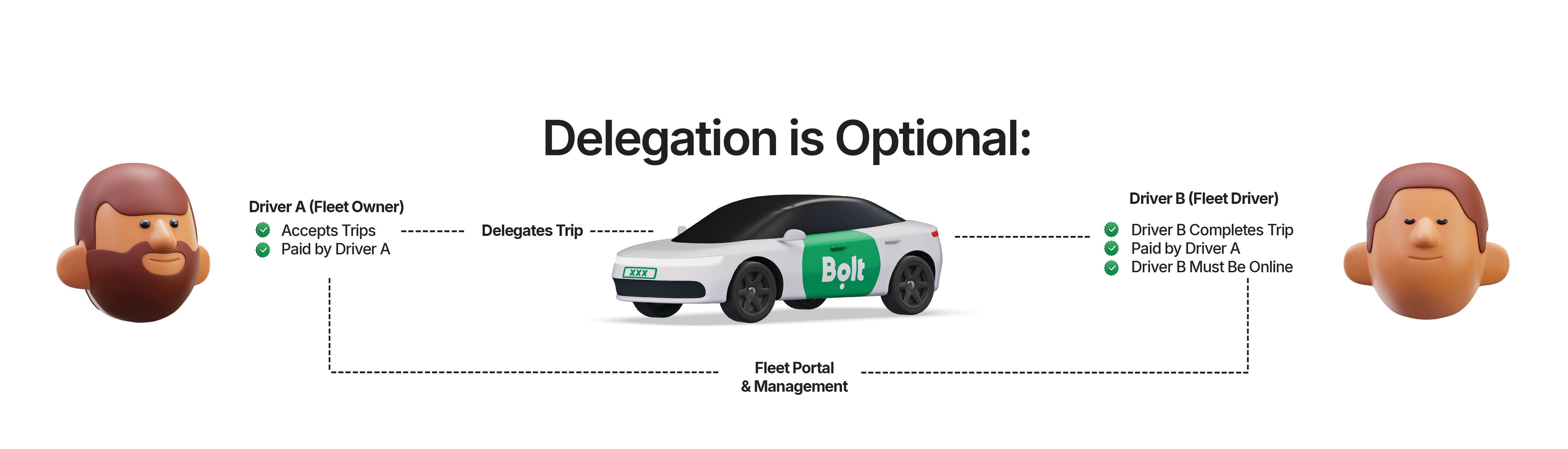
To delegate a trip:
- Accept a trip in the app.
- Open the trip details.
- Tap “Delegate”.
- Select an available online fleet driver.
- Confirm delegation.
The selected driver must be online and have the same available car categories to receive the trip.
Delegation is not available for scheduled rides. Only active, on-demand trips can be delegated.
Important information about vehicles
Earnings and payments
- All trips completed by fleet drivers generate earnings for the Fleet Owner.
- Earnings are paid directly to the fleet account.
- Fleet drivers earn on behalf of the Fleet Owner.
- Payment arrangements between you and your partner drivers are handled privately.
- Bolt does not manage payment distribution within fleets.
Your responsibility as a Fleet Owner
As a Fleet Owner, you are responsible for the actions of partner drivers you add to your fleet.
Make sure you:
- Invite only trusted partner drivers
- Agree on clear private payment terms
- Ensure compliance with local regulations
Bolt provides the platform technology only.
Benefits of Bolt Link
- Increase earning potential
- Reduce downtime
- Grow your business
- Operate flexibly
FAQ
As a Fleet Driver, you can switch freely between Fleet Mode and Private Mode at any time.
As a Fleet Owner, you always drive for your fleet
Make money driving with Bolt
Become a Bolt driver, set your schedule and earn money by driving!
Be your own boss. Start driving and earning!
