Getting Started: Fleet Registration on Bolt
This guide takes fleet owners through the full fleet registration process on the Bolt Fleet Owner Portal. Follow each step in order to complete your application successfully.
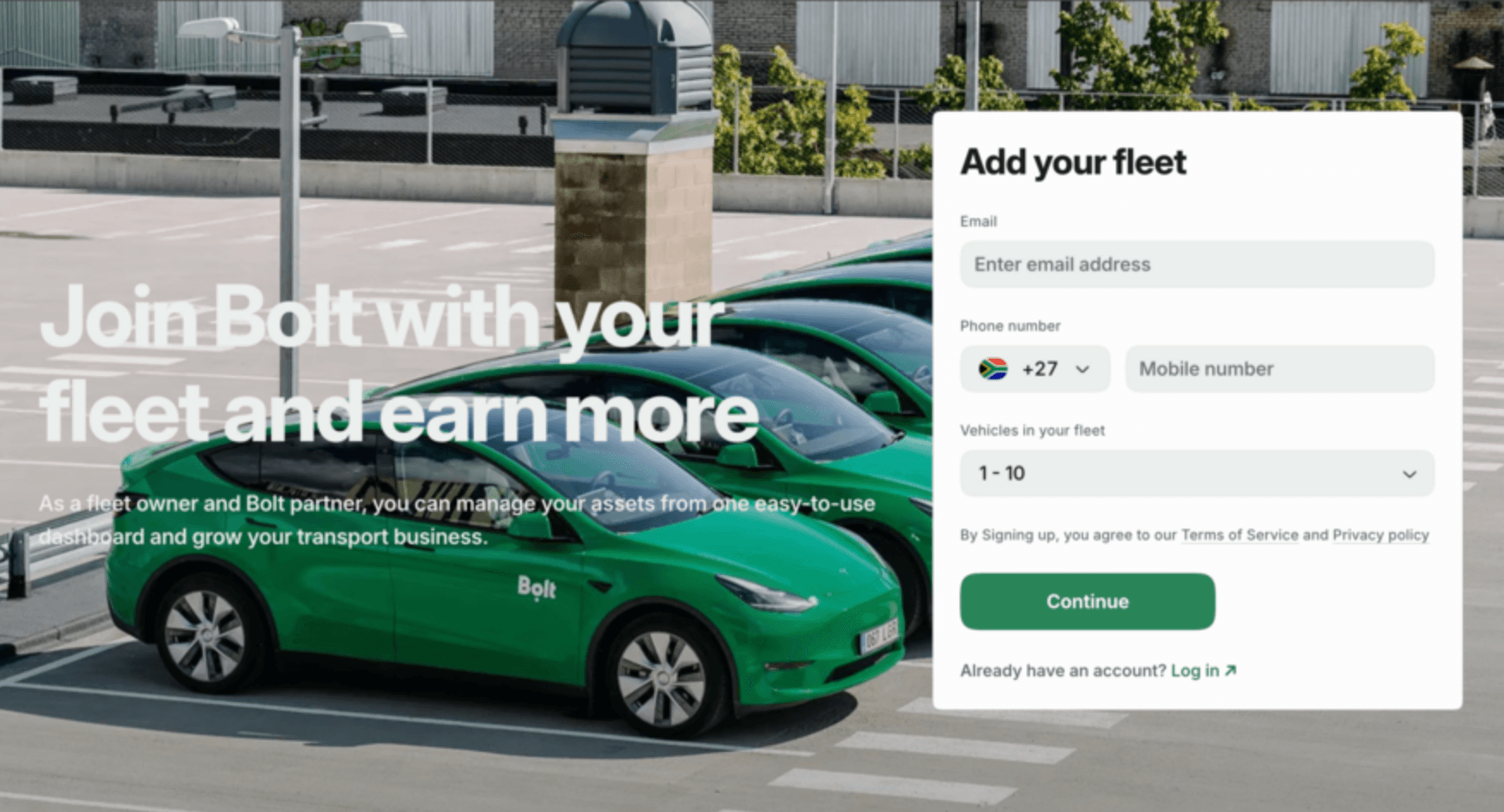
Add Your Fleet
Ready to get started? Visit the Bolt Fleet sign-up page and enter the following details to begin your application:
- Email address (this becomes your portal login)
- Phone number
- Number of vehicles in your fleet
Click Continue to start your application.
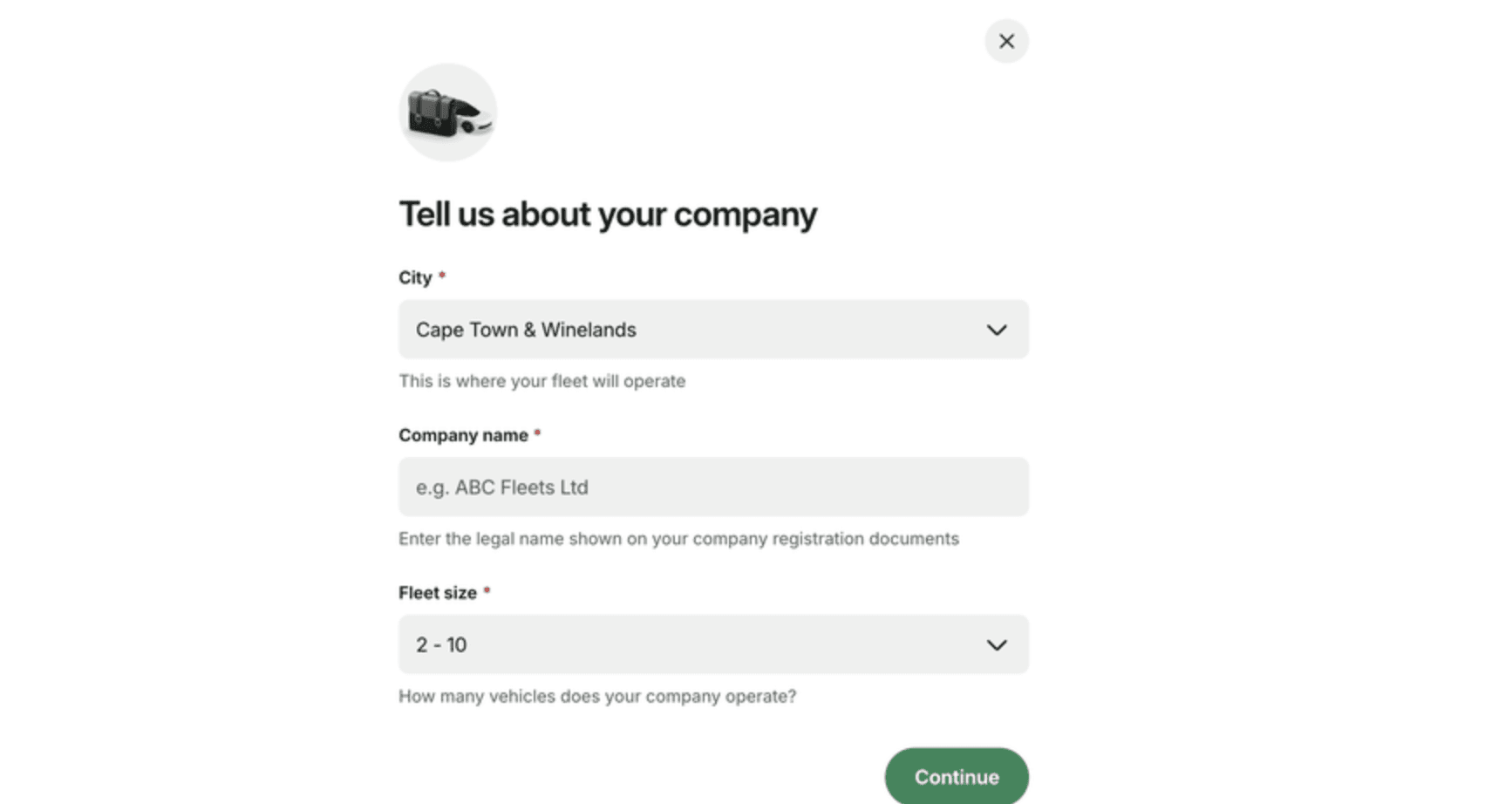
Tell Us About Your Company
Select your city, full company name and fleet size.
- City: Where your fleet operates.
- Company name: Use the full registered name, not a trading or short name.
- Fleet size: Total vehicles in your company.
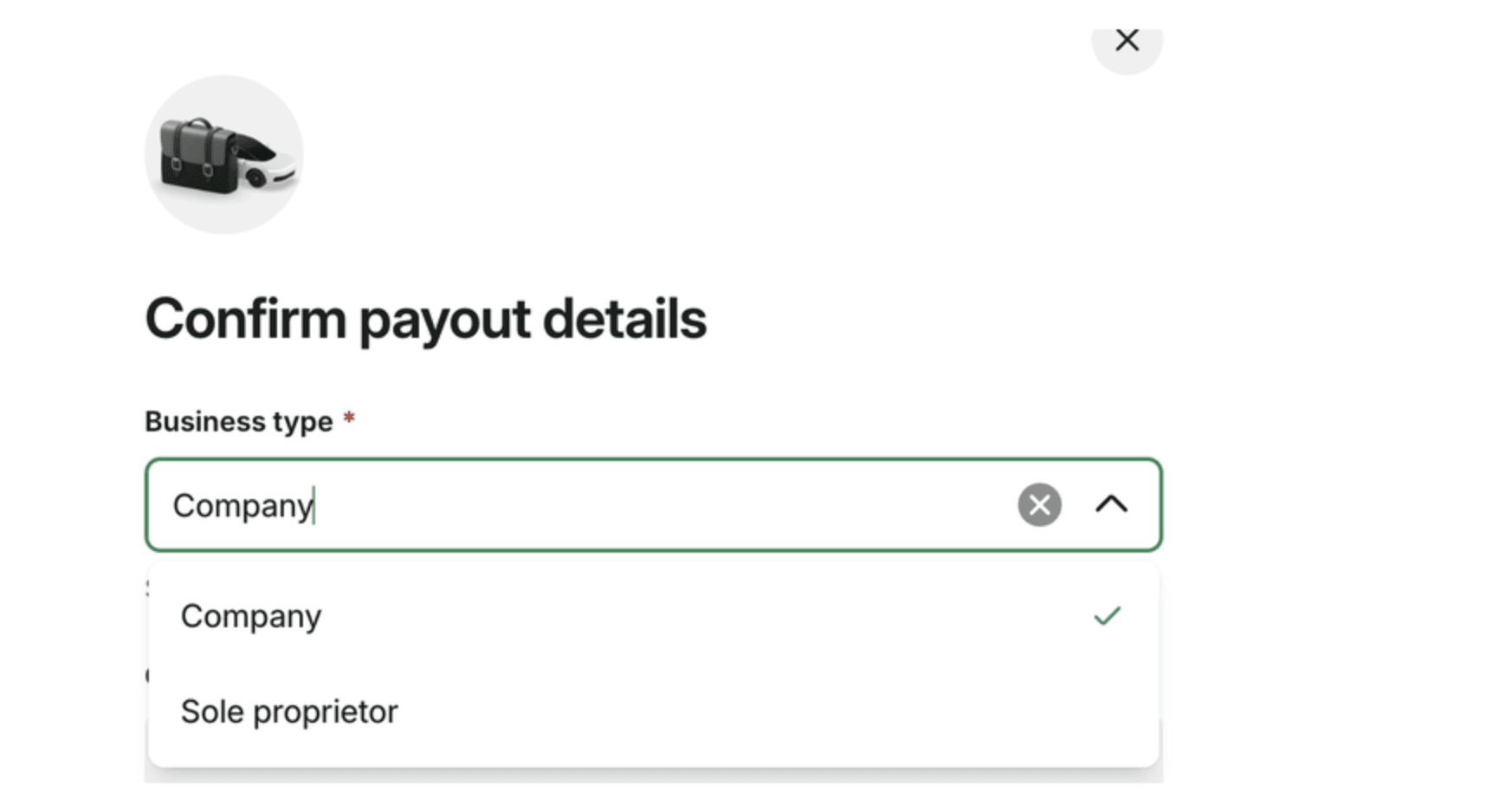
Confirm Payout Details
Select your business type — either Company or Sole Proprietor. Company is selected by default. If you are a sole proprietor, change this before continuing.
- Company — a registered business with a company registration number (e.g. a (Pty) Ltd)
- Sole Proprietor — an individual operating without a registered company
Complete the following banking details:
- VAT number (Company only, if applicable)
- Address (Sole Proprietor only)
- Bank account holder name
- Bank account number / IBAN
- BIC/SWIFT code
Application Submitted
Once your application is submitted, you have a few final steps to complete your fleet setup. Please complete all steps below even if your vehicles or drivers are already on Bolt:
- Add company details — your application is in review while Bolt verifies your information.
- Add your vehicles — register each vehicle in your fleet.
- Add your drivers — onboard your driver team.
Please note that application turnaround time can take up to 72 hours.
Make money driving with Bolt
Become a Bolt driver, set your schedule and earn money by driving!
Be your own boss. Start driving and earning!
It takes just 2 minutes to submit your information.
